No products in the cart.


Sumo Subscriptions is a rather terrible (IMO) subscriptions plugin for Wordpress / WooCommerce so it's almost inevitable you'll be removing it at some point. But like many bad things in life it's difficult to remove them completely and easily (....yes i'm referring to you Janet).
A Foxco client had switched to another recurring order / subscription service some time ago and yet these tables were clogging the database and metakeys were clogging the export files long after the plugin was deactivated and deleted.
I created this simple plugin to remove all traces of Sumo Subscriptions. Unlike Janet, you won't be seeing any trace of Sumo anymore after runnin this. However I do recommend running it a second time to remove any transients from this plugin itself, see image below.
Once you've done this uninstall and delete this plugin, you'll never need it again. That's how a good plugin should work, right?
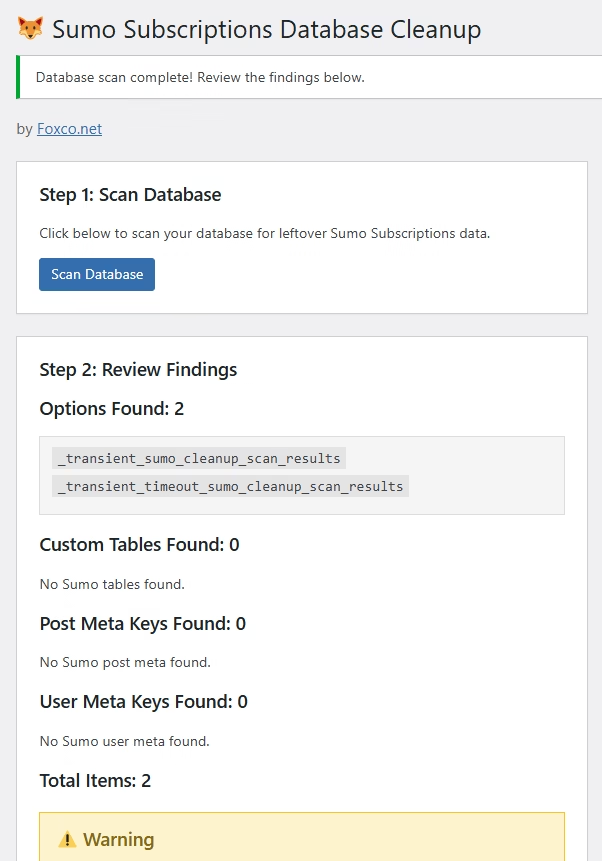
Features:
How to use:
/wp-content/plugins/The plugin looks for anything with patterns like "sumo", "sumome", "sumo_", etc. in your database and gives you a complete report before removing anything.
Let me know how it works for you. Click here or sumo wrestler pic below to download the plugin.

### 5. **Why Sumo & Product Feed Pro/Woosea Failed:**

- **No uninstall.php file** or hook registered
- **Left database tables** with potentially thousands of rows
- **Didn't remove cron jobs** (still trying to run!)
- **Left options/transients** cluttering wp_options
- **Forgot about meta data** on products/posts
- **Generated files** in uploads folder left behind

### The Ideal Plugin Structure:
```
my-plugin/
├── my-plugin.php          (main file)
├── uninstall.php          (cleanup code) ← THIS IS KEY
├── includes/
└── assets/