No products in the cart.


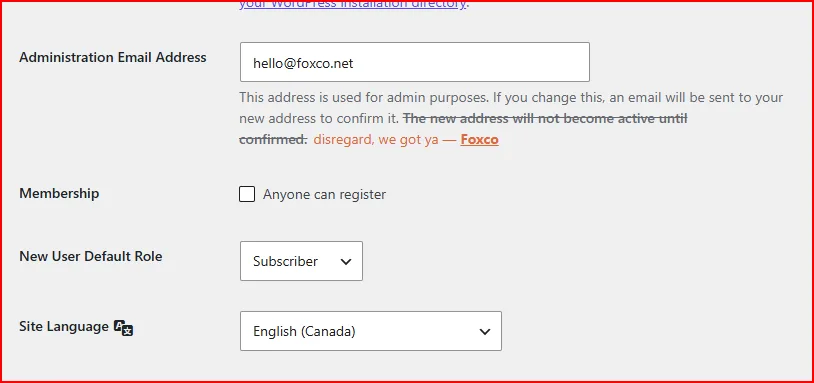
If you've ever tried to update the Administration Email Address in WordPress Settings → General, you know the drill.
You type the new email, hit Save, and... nothing happens. Well, something happens: WordPress sends a confirmation email to the old address, and until whoever owns that inbox clicks the link, your old email stays in place.
That's fine for most people. But if you're managing client sites, migrating environments, or just trying to get something done without a back-and-forth email chain, it's genuinely annoying.
So we built a fix:
It's a small, clean WordPress plugin that does exactly one thing: when you update the admin email address, it takes effect immediately: No confirmation email, no pending state. Done. Finito.
WordPress stores the pending email change in a site option called new_admin_email and waits for a confirmation click before touching admin_email. Our plugin hooks into WordPress's option lifecycle, intercepts that pending value the moment it's written, immediately commits it to admin_email, and deletes the pending key. The confirmation email never goes out.
No database hacks. No overriding core files. Just a clean hook.
Buy it here for only $4.99 and drop it into your plugins folder like any other plugin. Activate, make your change, deactivate if you don't need it running permanently.
As always, it's built to Foxco standards — lightweight, no dependencies, and 100% ASCII clean for Rocket.net hosting environment (if you use that one).