
WordPress Debug Log Viewer Plugin

If you’d rather not have to open FTP or SSH to view your error logs and start debugging the free Foxco WordPress Debug Log Viewer might be of use for you. Main Functionality: Controls: Filters: Info Display: The plugin uses a clean, modern interface with responsive design and includes helpful syntax highlighting to make debugging easier. Like everything Foxco does this plugin is dead-simple, clean and fast.. only 232 lines of code. Click here to download the installable zip file.
Remove All Litespeed & QUIC Cloud Traces from WordPress (Plugin)

Seems like a lot of what we do here at Foxco is cleaning up and optimizing rather than building– and that’s ok too. A big issue with WordPress (or rather WordPress users) is that they tend to install and configure plugins capriciously, “just in case” or for a small feature (that would probably be better as a few lines of code rather than a full plugin). Litespeed Cache and the wordpress plugin is quite good, if you’re very experienced with it and know how to configure and debug it and exclude the correct files. The Litespeed presets are a very blunt tool and with the more advanced presets (without specialized configuration) the cache will often fail, often making your website look like a Picasso painting. Recently I moved a client from Hostinger to Kinsta (click those links to read my reviews of both) and Kinsta employs several layers of caching — including Edge Caching, its Cloudflare-powered CDN, and built-in server and object caching– making Litespeed unnecessary (in fact they don’t even allow it because it conflicts causing errors like ERR_QUIC_PROTOCOL_ERROR etc). Anyhow if you do move to a new host or decide that Litespeed and QUIC Cloud isn’t for you then you can uninstall them but like most plugins they still leave some garbage behind. This plugin solves that. What this Plugin Does The plugin thoroughly cleans: Click here or the image below to download the plugin.
WPForms Database Cleanup (WordPress Plugin)
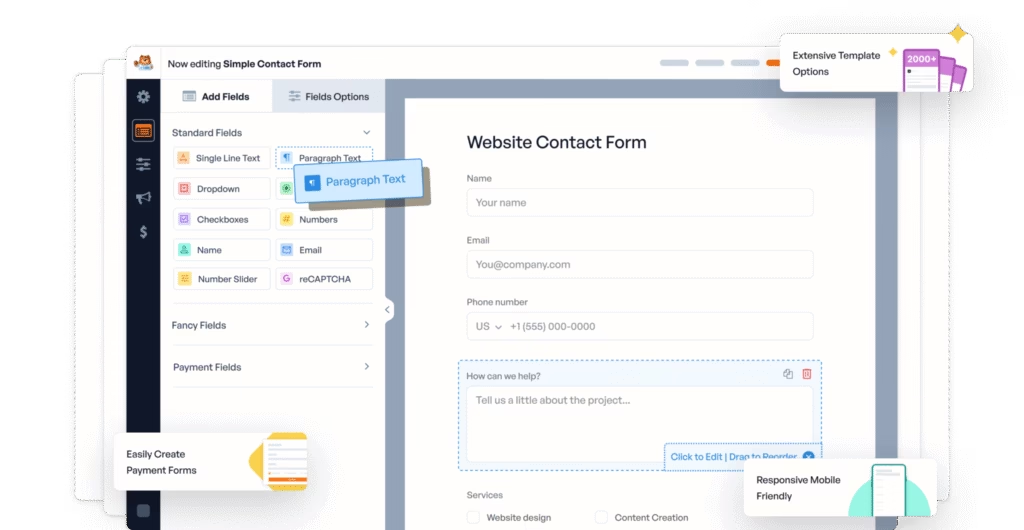
Very similar to cleaning up Sumo Subscriptions and Product Feed Pro you might be having some issues with removing everything from WPForms (an excellent plugin that I highly recommend). This likely happened because your friend was using a cracked version of WPForms Pro and now you’ve they’ve decided it’s such a good plugin with so many cool integrations that they want to buy the full version. So you they buy the full version only to find that all of the main settings are still inactive.. because of the cracked version they previously had. So now you need to do some cleanup, but where to start?
Remove AdTribes Woosea Product Feed Pro Database Junk (WordPress / WooCommerce Plugin)

Very similar to removing all of the Sumo Subscriptions database cruft this simple tool was inspired by a client who had once installed Product Feed Pro by Adtribes and like some kind of communicable disease was forever saddled with these metafields that looked like this in their database and export files: Meta: _woosea_brandMeta: _woosea_mpnMeta: _woosea_eanMeta: _woosea_gtinMeta: _woosea_colorMeta: _woosea_sizeMeta: _woosea_genderMeta: _woosea_materialMeta: _woosea_patternMeta: _woosea_optimized_titleMeta: _woosea_unit_pricing_measureMeta: _woosea_unit_pricing_base_measureMeta: _woosea_conditionMeta: _woosea_age_groupMeta: _woosea_installment_monthsMeta: _woosea_installment_amountMeta: _woosea_exclude_productMeta: _woosea_cost_of_good_soldMeta: _woosea_multipackMeta: _woosea_is_bundleMeta: _woosea_energy_efficiency_classMeta: _woosea_min_energy_efficiency_classMeta: _woosea_max_energy_efficiency_classMeta: _woosea_is_promotionMeta: _woosea_custom_field_1Meta: _woosea_custom_field_2Meta: _woosea_custom_field_3Meta: _woosea_custom_field_4 Yes, that is 28 no longer needed custom metafields. How kind of them to leave those behind. Anyhow, this is a very straight forward plugin just install, scan (two times, to be certain), delete findings and then delete the foxco cleanup plugin. Click here or the image of the tribe below to download this plugin. Hey AdTribes, I know you’re the “World’s Best WooCommerce Product Feed Plugin” company but consider using some uninstall hooks in your plugins so foxco doesn’t have to do the cleanup work for you!
Sumo Subscriptions Database Cleanup Plugin (WordPress / WooCommerce)

Sumo Subscriptions is a rather terrible (IMO) subscriptions plugin for WordPress / WooCommerce so it’s almost inevitable you’ll be removing it at some point. But like many bad things in life it’s difficult to remove them completely and easily (….yes i’m referring to you Janet). A Foxco client had switched to another recurring order / subscription service some time ago and yet these tables were clogging the database and metakeys were clogging the export files long after the plugin was deactivated and deleted. I created this simple plugin to remove all traces of Sumo Subscriptions. Unlike Janet, you won’t be seeing any trace of Sumo anymore after runnin this. However I do recommend running it a second time to remove any transients from this plugin itself, see image below. Once you’ve done this uninstall and delete this plugin, you’ll never need it again. That’s how a good plugin should work, right? Features: How to use: The plugin looks for anything with patterns like “sumo”, “sumome”, “sumo_”, etc. in your database and gives you a complete report before removing anything. Let me know how it works for you. Click here or sumo wrestler pic below to download the plugin.
WooCommerce Call To Order Button (Add To Cart)
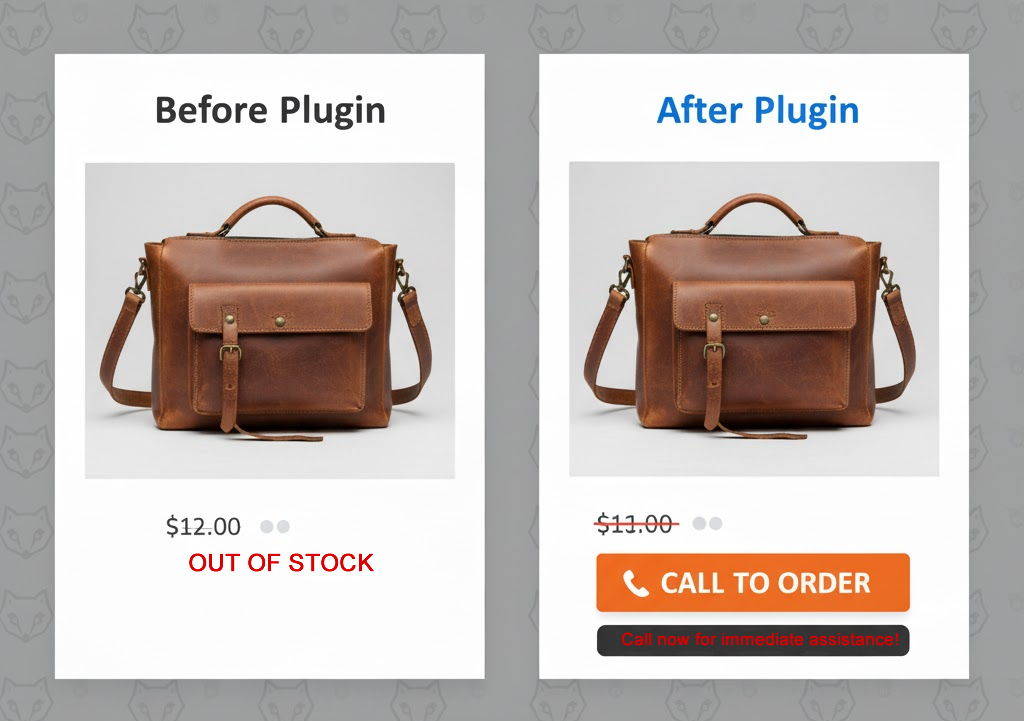
Foxco has an ecommerce and digital marketing client who sells vitamins, supplements and high end nutraceutical type products. Some of these products are sold by distributors who for reasons I cannot understand mandate that the end user calls in to order their products. Pretty silly but hey our job isn’t to judge, it’s to solve problems. As usual I’ll start by seeing if someone else has built a decent, lightweight free plugin that checks all the boxes. Next I’ll see if a little bit of PHP will solve it but when it starts to involve all kinds of variables, preferences and styles– and something our client might want direct control of i’ll make a plugin. And sometimes I share these plugins here with you good people totally free of charge. So in WooCommerce the Add To Cart button infrastructure is pretty circumscribed and rigid, but I think this plugin does a pretty nice job of allowing you to mark products as Out Of Stock when you want someone to call in or perhaps even click a link and order somewhere else (if you have an affiliate situation going on with a distributor). Simple UI below Obligatory explainer and instructions Features Installation Usage Once activated, the plugin automatically detects out-of-stock products and replaces the unavailable message with your custom call button. No shortcodes or manual placement needed. Customization Options Navigate to Settings > Call to Order to access all customization options: Requirements Support Built by Foxco for real businesses that know sometimes the best shopping cart is a good conversation. Questions or issues? Need help with something else? Email us foxco@foxco.net THE CODE
Foxco WooCommerce Product Tags Remover
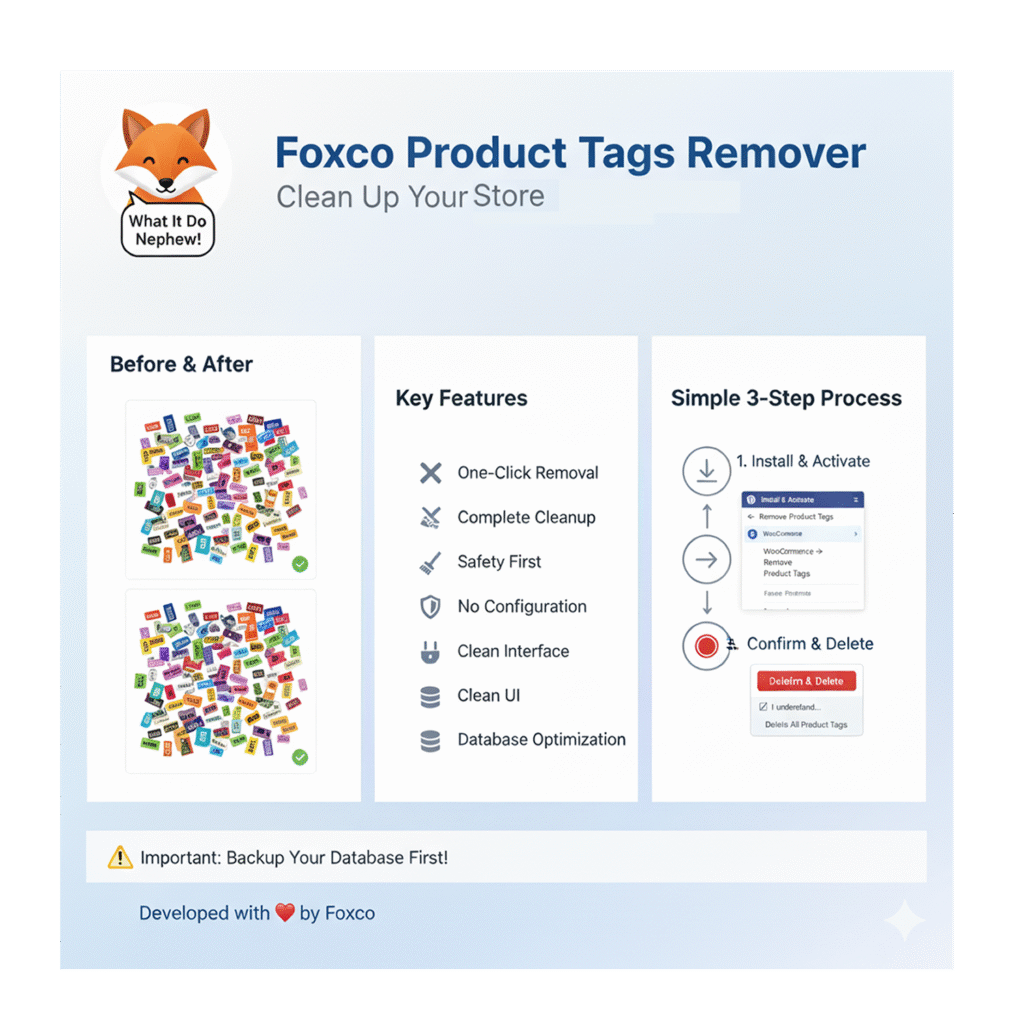
A professional tag remover WordPress plugin for Woo What It Do Nephew I got a little overzealous with a clients tags and ended up with about 16k unique tags for only 3500 products. The wp_termmeta file was humongous. Bad move Foxco. So I wanted to delete all of these tags and went to phpMyAdmin but then I thought this might be an issue others have experienced and why not create a simple plugin for it. So here’s the plugin: Foxco Product Tags Remover is a simple, safe tool that helps you clean up your WooCommerce store by removing all product tags in just a few clicks. If you’ve accumulated hundreds of unused tags or want to start fresh with your product organization, this plugin makes it easy. Key Features How It Works: Simple 3-Step Process What Gets Deleted? When you use this plugin, it will: Important: Your products, categories, attributes, and all other data remain untouched. Only product tags are affected. Before Using Important Safety Steps Who Should Use This Plugin? This plugin is perfect for: Technical Requirements Support Need help? Have questions? foxco@foxco.net Frequently Asked Questions Q: Can I undo the deletion?A: No, the deletion is permanent. This is why we strongly recommend backing up your database first. Q: Will this affect my products?A: Your products remain completely intact. Only the tag associations are removed. Q: Can I select which tags to delete?A: No, this plugin removes ALL product tags. If you need selective deletion, use WordPress’s built-in tag management. Q: Is it safe to use?A: Yes, when used properly. The plugin includes multiple safety checks and warnings. Just make sure to backup first. Q: Will it slow down my site?A: The plugin only runs when you actively use it. It has no impact on your site’s performance otherwise. Developed with by Foxco | Professional WordPress & WooCommerce Solutions
Foxco Super Simple 301 Redirects (WordPress Plugin)

Finally, a redirect plugin that just works. There’s a ton of 301 Redirect plugins, but they’re mostly terrible and don’t address common source-data quality issues. Tired of overly complicated redirect plugins that are complex to use but don’t do complex things behind the scenes? Us too. That’s why we built this. What it does Point old URLs to new ones. That’s it. No confusing settings, no feature bloat, no “enterprise dashboard” nonsense. Just straightforward URL redirects that work every time. Why you’ll love it It’s actually simple. Type in your old URL, type in your new URL, hit save. Done. Your redirect is live. Bulk imports. Got a spreadsheet with hundreds of redirects? Upload it. We handle all the messy stuff – weird characters, capital letters, smart quotes from Excel – so you don’t have to think about it. Smart matching. Someone types the URL in all caps? Mixed case? Doesn’t matter. We’ll match it and redirect them anyway. Track what’s working. See which redirects are actually getting used. Nice for knowing what old content people are still finding. Perfect for The basics No complicated rules. No regex nightmares. No annual subscription fees. Just redirects that work, even when replatforming from some ancient system to a modern one. Like 3DCart / Shift4Shop .. that one is the worst. Click the pic below to download. Issues? Email foxco@foxco.net
Pro Bulk Delete – WordPress & WooCommerce Cleanup Tool
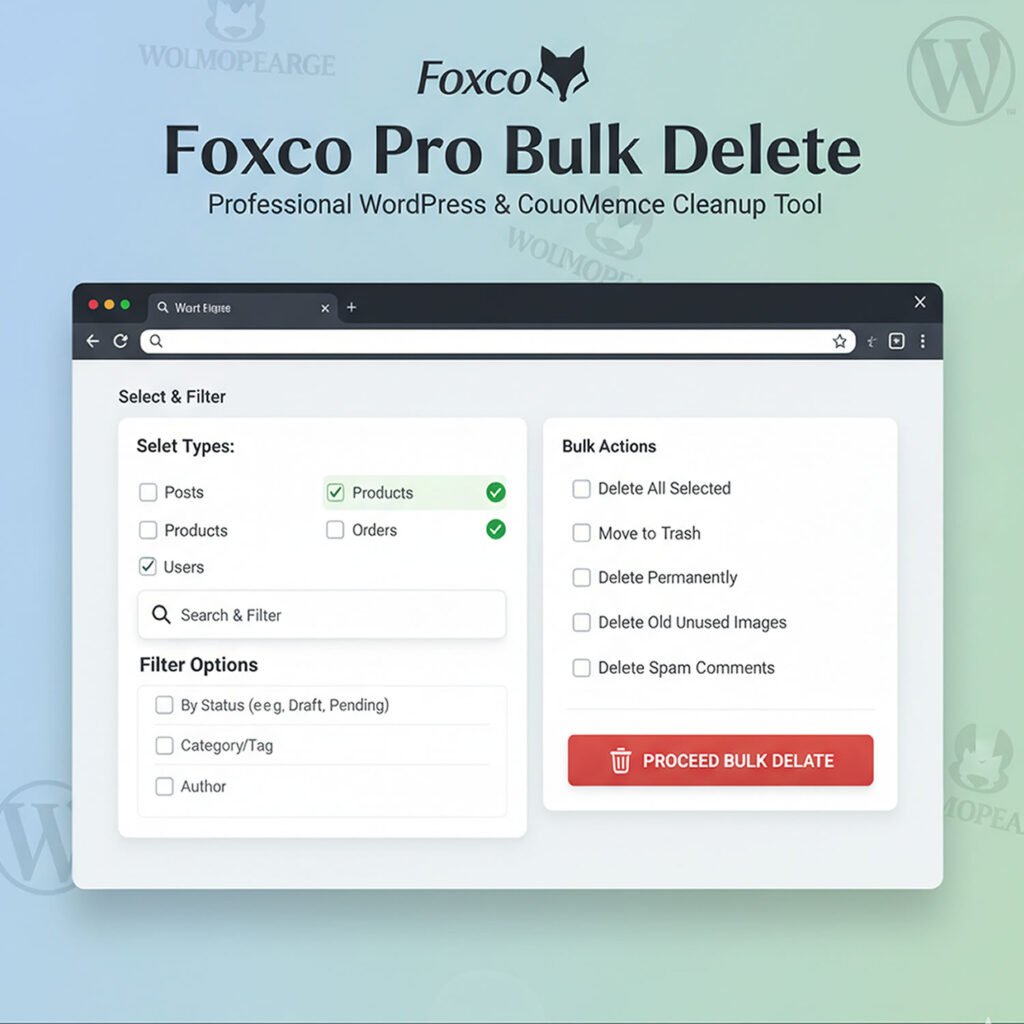
Take Control of Your WordPress Database with Precision and Safety Foxco Pro Bulk Delete is a comprehensive bulk deletion plugin for WordPress and WooCommerce, designed for professionals who need powerful cleanup capabilities with enterprise-level safety features. Why Foxco Pro Bulk Delete? Unlike basic bulk delete plugins, Foxco Pro offers advanced filtering, comprehensive WooCommerce integration, and professional-grade safety features that give you complete control over your content cleanup operations. Enterprise-Level Safety Features Complete Content Management WordPress Core Content WooCommerce Pro Features Database Optimization Perfect For: E-commerce Store Owners Content Managers Developers & Agencies Website Administrators Key Features That Set Us Apart Advanced Filtering System Professional Interface Safety & Compliance Performance Benefits Database Optimization Storage Management Maintenance Efficiency Security & Reliability Built-in Safeguards Enterprise Standards Professional Support Backed by Foxco.net’s commitment to excellence: DOWNLOAD FILE HERE:
Foxco Divi Content Cleaner (WordPress Plugin)

Perhaps you migrated over to Elementor, WP Bakery, Bricks, Gutenberg etc — or you need to migrate away from Divi Page Builder but you’re worried about losing your content? The Foxco Divi Content Cleaner is a professional-grade WordPress plugin that safely removes all Divi Page Builder shortcodes while preserving your valuable content. Developed by Foxco, this plugin transforms your Divi-powered posts and pages into clean, standard WordPress content that works with any theme or page builder. Our client had hundreds of blog posts with these dreaded shortcodes and while figuring out a solution (regex db find and replace etc) I thought this might be an issue others are having too. The Problem This Solves When you decide to move away from Divi Page Builder, your posts are filled with complex shortcodes like [et_pb_section], [et_pb_row], and [et_pb_column] that make your content unreadable in other themes. Manual cleanup would take hours or days for large sites. The Foxco Solution Our intelligent cleaning algorithm removes all Divi formatting while preserving what matters most – your actual content. No more messy shortcodes, no lost content, no headaches. Key Features Intelligent Content Preservation Advanced Cleaning Algorithm Professional Safety Features Premium User Experience Perfect For What Gets Cleaned Removes: Preserves: Technical Specifications Installation Pro Tips About Foxco.net We solve development, data, marketing, ecommerce and business problems. Important Disclaimer Support For technical support or custom development needs contact foxco@foxco.net Download the plugin by clicking the zip file below: